
Discover with this tutorial how to display the privacy policy link on any website by creating a block variation and taking advantage of the Block Binding API.
I’m convinced that in most pages you create you have to add a link to the privacy policy, is that right?
This is not complicated to do manually, but it can be interesting to improve your workflow to add it in your clients’ websites, or even in your commercial theme if you create WordPress themes to sell.
To do this, we’re going to take advantage of the new API called Block Binding (which arrived in WordPress 6.5), which allows to display custom fields directly in a block. This saves you from having to create a custom block and you can use an existing one.
Currently there are only 4 blocks that allow Block Binding:
- Paragraph
- Header
- Button
- Image
This already lets you do some very interesting things and I’m sure that in future WordPress updates this feature will be extended to more blocks.
This, along with the new filter that allows you to register variations using PHP (previously you could only use JavaScript to do so), makes it much easier to use a native block that displays a dynamic data directly from the editor.
In this case, you are going to create a variation of the paragraph block containing the link to the privacy policy.
Steps to display the privacy policy link dynamically in a native block
1. Add a source that displays the privacy policy link via block binding and create a block variation
Add the following code at the end of functions.php or in your functionality plugin:
To see this and another 1097 code snippets of this website, login or subscribe here.
With this code you first add a new data source for the Block Binding, in which you use the function the_privacy_policy_link() to get in link to the privacy policy page, and then use the filter get_block_type_variations to create a variation of the paragraph block that displays the link.
Now there is only one step left.
2. Insert the block where you want
Since you have created a block variation, you will be able to access it directly:
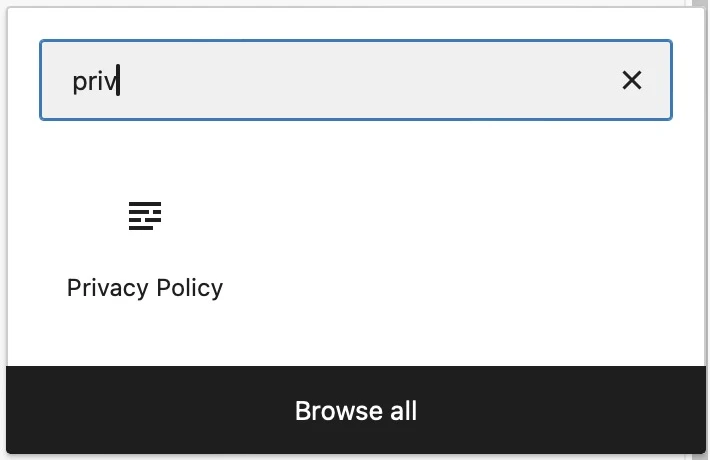
Once you enter it you will see something like this:

The advantage of having the privacy policy in a block is that you can layout it to your liking.
For example, if you want to add text before (or after) you can use the row block (a variation of the group block).
Another advantage is that if you change the title or link of the privacy policy page both will be automatically updated in the block.
Conclusions
You can see how easy it is to display the privacy policy link, dynamically, anywhere on the web thanks to being able to insert it directly in a paragraph block.
Any questions? I read you in the comments.
And if you want to give me any suggestion for future tutorials, leave it in the contact form. Advantages of being a subscriber. 😉
